Claude Design now lives inside Claude
The short version
Claude Design now lives inside Claude.
Designs, design systems and decks start as artifacts in ordinary chats, the Artifacts tab and Claude Code. Attach a design system, refine on the canvas, then export or hand off.
It’s on Free through Enterprise (with a few admin switches on Team and Enterprise), and it shares your usual Claude usage limits.
Quick terms: an artifact is something Claude builds beside the chat that you can edit, share and reopen: a design, a deck, a doc, and more. A design system packs your colors, fonts and components so new work looks on brand. The canvas is the artboard next to the chat.
Claude Slides is the template for decks. Claude Code can create and sync designs with /design and /design-sync.
Why this matters now
Anthropic moved Claude Design into Claude itself. You can use it from any conversation, including in Claude Code and from the Artifacts tab, with on-canvas editing and your design system included (Claude: product page for Claude Design; Claude Help Center: get started with Claude Design).
The standalone site at claude.ai/design still works until it closes on Dec 14, 2026. Details and migration steps are in our Daily on that deadline.
The brand-rules problem
Every new mockup chat used to start from zero: paste the hex codes again, restate the button style, hope the landing page doesn’t invent a new purple.
Designers ration exploration because there isn’t time for a dozen directions, and everyone else waits on a queue (Anthropic: introducing Claude Design).
What Claude Design makes possible
Describe a visual, get a first version on a canvas. Claude Design pairs the conversation with a canvas.
You say what you want; Claude builds a working design beside the chat; you refine with chat, inline comments or direct edits until it’s right (Claude Help Center: get started with Claude Design).
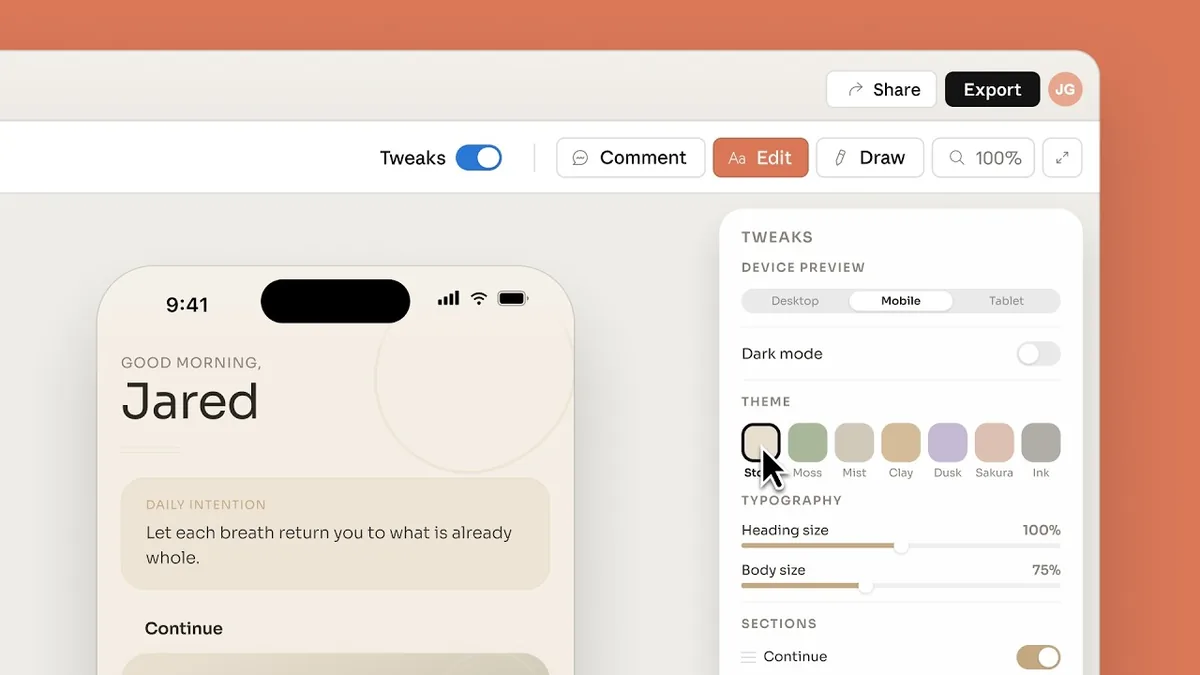
Stay on brand with a design system. Import one or several systems from GitHub, design files, uploads or a local codebase. Claude builds with your components, checks its output against the system and corrects before you see it (Claude: product page for Claude Design).
Ship into the tools you already use. Export to PPTX, PDF or HTML, hand off to Claude Code, or send to connectors such as Adobe, Canva, Gamma, Lovable, Miro, Replit, Vercel and Wix (Claude: product page for Claude Design; Claude Help Center: get started with Claude Design).
“Describe a visual and Claude builds a first version, on brand. Refine, share, or hand off to the tools you use.” Claude product page for Claude Design
How to start a design
Anthropic documents several doors into the same artifact (Claude Help Center: get started with Claude Design; Claude Help Center: what are artifacts):
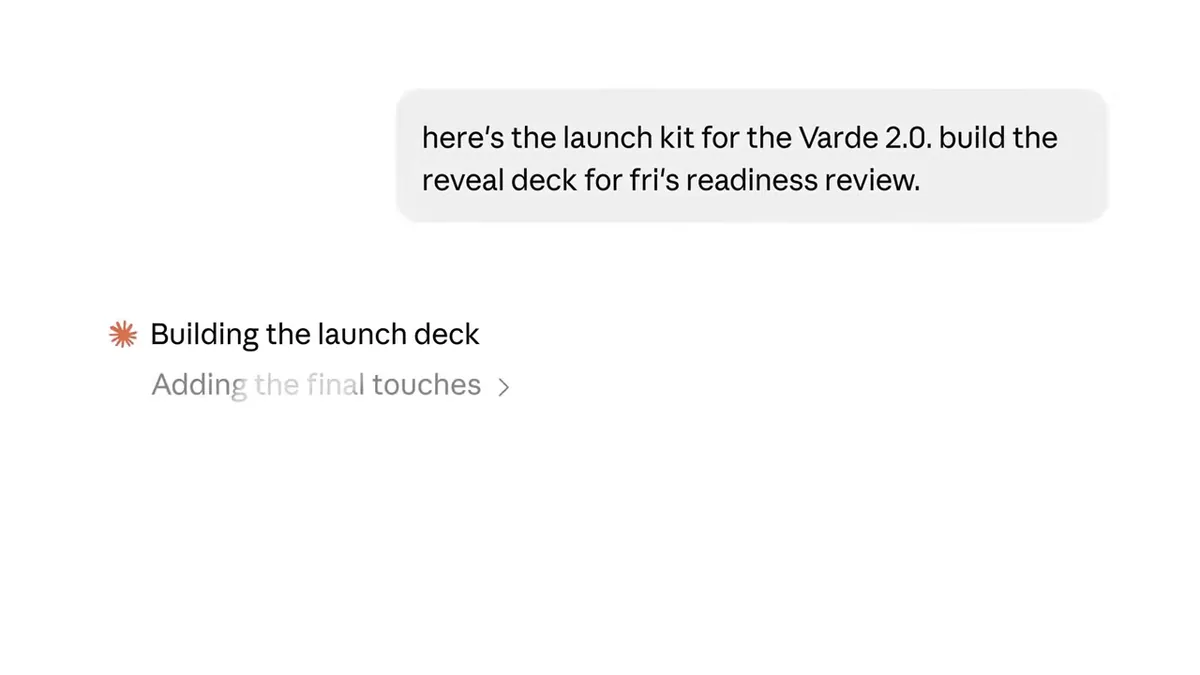
- In a conversation. Ask for a design (“Make a one-pager from this proposal”) or choose Output → Design in the message box.
- In the Artifacts tab. Open Artifacts and pick a Design template.
- In Claude Code. Ask Claude to turn an idea into a design, or use
/designon desktop or in the terminal./design-syncpulls your design system in so new work starts from existing components. - On phone. Ask in chat, then open the result full screen in Artifacts to view or edit. Change sharing on web or desktop.
After that: attach the design system, add context (screenshots, a codebase), describe the thing, review the canvas, refine, then export or share.
Help Center prompt shapes include a filtered revenue dashboard, a four-screen mobile onboarding flow, an API landing page, a conditional feedback form and an internal ops review tool (Claude Help Center: get started with Claude Design).
Design systems, without the lecture
A design system captures colors, typography, components and layout patterns so Claude applies them to new designs and decks (Claude Help Center: set up your design system).
Manage them in Settings → Design Systems. Each system becomes an artifact Claude can use in any conversation, including Claude Code (Claude: product page for Claude Design).
Create one from a codebase, prototypes, a well-designed deck or brand assets; Claude extracts the palette, type and components; you review with a test design, then publish (Claude Help Center: set up your design system).
Design systems are in beta on Pro, Max, Team and Enterprise: on by default on Pro, Max and Team, off on Enterprise until an owner enables Design systems under Organization settings → Artifacts.
Larger orgs can set one default system and limit who publishes or deletes (Claude Help Center: set up your design system; Claude Help Center: Artifacts admin guide).
Decks and the other artifact templates
Claude Slides is now its own artifact template. Slide decks used to live inside Claude Design; Anthropic now ships them separately (Claude: Artifacts).
Start a deck from notes, a report or the chat you’re already in; edit slides directly; present inside Claude; export to PowerPoint, Google Slides or PDF (Claude Help Center: what are artifacts). Designs and decks can both use a design system.
On the same shelf: Docs on every plan, Dashboards (beta) on paid plans, Motion (beta) on Team and Enterprise (Claude: Artifacts).
Who gets it, on which plan
| Plan | Design / Slides / Docs | Design systems (beta) | Notes |
|---|---|---|---|
| Free | Included | Not in the design-systems beta | Shares your usual Claude usage pool |
| Pro / Max | Included, on by default | On by default | |
| Team | Included, on by default | On by default | Owners manage templates under Organization settings → Artifacts |
| Enterprise | On by default from Oct 15, 2026 (except HIPAA-enabled orgs) | Off until an owner enables them | Owners can enable earlier; custom roles need Artifacts permissions |
Sources for the table: Claude: Artifacts FAQ; Claude Help Center: get started with Claude Design; Claude Help Center: set up your design system; Claude Help Center: Artifacts admin guide.
Design activity draws from the same usage limits as the rest of Claude. There is no separate Claude Design allowance anymore (Claude Help Center: get started with Claude Design).
Where it stops
Per Anthropic’s Help Center (get started with Claude Design): inline comments sometimes vanish (paste into chat instead); huge codebases can lag (use /design-sync from Claude Code); multi-person editing is still basic; a messy source makes a messy design system; there is no version history yet.
Organizations with zero data retention can’t turn on artifacts, so they can’t use Claude Design inside Claude (Claude Help Center: move from standalone Claude Design).
Try this next
- In Claude, ask for a small visual you need soon, or pick Design under Output / the Artifacts tab (Claude Help Center: get started with Claude Design).
- Attach or create a design system before the second draft (Claude Help Center: set up your design system).
- Use chat for structure, comments for one component, and canvas edits for spacing and type.
- Export to PPTX, PDF or HTML, or hand off to Claude Code when you’re ready to build.
Official look (about a minute): Introducing Claude Design by Anthropic Labs.
Plays from YouTube when you press play.
Video Summary
- Claude Design lets you collaborate with Claude on polished visual work such as prototypes, slides and one-pagers.
- The official intro shows a design canvas beside chat: a first version appears on an artboard, then you refine it with controls like Tweaks for device, theme and type size.
- Anthropic’s launch notes match the clip: describe what you need, stay on brand with a design system, refine through conversation or direct edits, then export or hand off.
Chef’s pick: pick one real brief in your drafts (a one-pager, a four-screen onboarding, or Friday’s deck), start it as an artifact with your design system attached, and only then chase any leftover work on the standalone site before Dec 14.